State Farm®
- 4.6
- Rating
- 10.00M
- Installs
- Free
- Price

 Analysis by App-foxy
Managing insurance from a phone sounds simple until you need something quickly: an identification card at a traffic stop, a policy detail before a call, or a payment-related task when you are away from your desk. State Farm® is built for those moments, giving customers a mobile route into their State Farm accounts, policies, ID cards and related information. I found its value less in flashy extras and more in reducing the number of small insurance jobs that normally require a browser, paperwork, or a call.
This is a free finance app from State Farm Insurance, aimed at people who already use the company for their insurance needs. It is available to an Everyone audience, and its long presence on mobile shows in the mature, account-centered design. The current version is 10.157.0, and it requires an operating system version of 10 or later. That requirement is worth checking before troubleshooting anything else, because an older phone can create problems that look like app failures.
What using State Farm on a real day feels like
The most useful way to judge this app is to imagine a normal insurance task rather than a browsing session. Suppose I am leaving for a trip and realize I want my auto insurance ID card available without searching through a glove compartment. Opening the app and going straight to the policy area is more practical than signing in through a general web browser, especially when I need the information while standing beside the car.
You May Also Like

 Blood Strike: 2.5 Anniversary
Blood Strike’s Loadouts Turn Every Drop Into a Tactical Gamble
A close look at Blood Strike’s custom loadouts: how fast access to signature weapons reshapes its battle royale rhythm, rewards preparation, and narrows the gap between fights.

 Pandora - Music & Podcasts
Pandora’s Music Is Easy to Start, but Harder to Recover
Pandora’s strength is its low-effort path from a seed to a station. Its weak spot is how much confidence it asks you to place in connection, setup, and quiet recovery.

 8 Ball Pool
 Is Built on Rivalries, Rematches, and Routine
A close look at the rivalries, rematches, shared routines, and unanswered safety questions that turn a quick pool match into a persistent mobile community.

 Samsung Music
’s Quiet Strength Is Playing What You Already Own
Its reach comes less from spectacle than from dependable access to a personal library. That simplicity is both the app’s strongest retention engine and its ceiling.

 AccuWeather: Weather Radar
AccuWeather Review: A Quick, Clear Forecast for Everyday Decisions
For everyday plans, the best forecast is the one you can understand quickly. AccuWeather makes rain timing, radar, and local conditions easy to act on, with a few trade-offs.

 Hill Climb Racing
Why Hill Climb Racing Still Turns Crashes Into One More Run
A tiny car, a bumpy hill and one more upgrade: Hill Climb Racing keeps resurfacing because its simple chaos makes every near-miss feel personal.
More From Our News Desk



The same convenience applies when I want to review which policies are connected to my account or check details before contacting an agent. The app puts those account-related tasks in one place, which is particularly helpful for customers who have more than one relationship with State Farm. I would still read the policy wording carefully for a coverage decision, but the phone interface is a sensible first stop for everyday access.
Its audience is also clear from the developer and the way the product is organized. State Farm Insurance made this for existing customers, not for comparing every insurer in the market. If I were shopping for a new policy across several companies, I would use comparison tools, insurer websites, or direct conversations instead. This app becomes more useful after the customer relationship already exists.
Public response is strong: it holds a 4.6 average from roughly 436 thousand ratings, with about 32 thousand written reviews and more than 10 million installs. Those figures suggest that the basic account-access idea works for a large audience, although they do not guarantee that every login, device, or policy situation will feel equally smooth. Insurance apps are especially dependent on account records and service availability, so a good rating should be treated as useful context rather than a promise.
Where people usually get stuck
The first point of friction is often not navigation. It is account access. A customer may expect the app to recognize a phone automatically, while the service still needs the correct State Farm account credentials or an additional verification step. When that happens, repeatedly tapping sign-in usually does not solve the problem. I would first slow down and confirm that I am using the same account identity associated with the policy I am trying to view.
A second common snag is opening the wrong area. Someone looking for an ID card may enter a general account screen, see several policies, and assume the card is missing. In practice, the useful habit is to identify the relevant policy first, then look for the document or card associated with that policy. This matters when a household has multiple vehicles or different types of coverage, because the first visible policy may not be the one needed.
Another source of confusion is expecting every insurance question to be answered by a document screen. An ID card can confirm important information, but it is not a replacement for reading coverage terms or asking State Farm about a change. I use the app to locate facts and prepare for a conversation; I do not treat a quick screen as permission to infer coverage that is not clearly shown.
There is also a practical phone issue: a document that is visible inside an app is not always the same thing as a file that has already been saved or printed. Before leaving for a long drive, I would open the relevant card while connected, make sure the details are legible, and consider keeping the physical backup required for my own situation. That small check is more useful than discovering a problem when the phone battery is low or connectivity is poor.
Setup checks that prevent avoidable trouble
I would begin with the basics: install the latest available version for the device, confirm that the phone meets the minimum operating system requirement, and use a stable connection during the first sign-in. The app was released on April 29, 2010, but its age should not be mistaken for compatibility with every old handset. A phone that cannot meet the current system requirement may need an operating-system update or a newer device rather than another reinstall.
Next, I would make sure the app itself is coming from the official store listing and that the developer name is State Farm Insurance. This is not just a security habit; it also prevents wasting time with an imitation or an unrelated financial tool. Because the app deals with account and policy information, I would avoid signing in on a shared phone and would use the device’s normal lock protection.
During setup, I would keep my account details available and avoid guessing through several similar usernames or passwords. A failed attempt can make the problem harder to diagnose because I no longer know whether the issue is the credentials, the account, or the connection. If the app presents an account-recovery route, I would use that rather than repeatedly submitting uncertain information.
It is also worth checking whether the policy has recently changed, been transferred, or been added under another account relationship. If the login succeeds but a policy is not visible, that does not automatically mean the app has lost it. The account record may need attention from State Farm, particularly when household members, policy ownership, or contact details have changed.
Before I need the app urgently, I would perform one quiet test: sign in, select each relevant policy, and open the ID card or account information I expect to use. This catches two different problems early. First, I can see whether the information is actually present. Second, I learn the path to it while there is no pressure. That preparation is one of the best reasons to install a finance app before an emergency rather than during one.
How I recover a workflow when something fails
When a screen will not load, I separate the problem into stages. If the app does not open, I check the phone and operating system first. If it opens but sign-in fails, I check the account path. If sign-in works but a policy or card does not appear, I treat that as an account-record or service question. This simple separation avoids blaming every issue on the application itself.
For a temporary loading problem, I would close and reopen the app, switch between a reliable Wi-Fi connection and mobile data if available, and try again after confirming that other apps can reach the internet. I would not keep submitting forms while the connection is unstable. That can create repeated attempts without telling me whether the original request reached the service.
If the app shows an incomplete or outdated view, I would first refresh by leaving the section and returning to it, then sign out and back in only if I can safely do so. I would avoid deleting the app as an immediate reaction, because a reinstall does not repair an incorrect account record and may add another sign-in step. Reinstallation is a later option for a damaged local installation, not a universal cure.
A useful recovery habit is to write down exactly what happened: the screen I opened, the policy I selected, and whether the failure occurred before or after authentication. That description is much more useful to State Farm support than saying only that “the app is broken.” If the task is urgent, I would use the company’s normal customer-service or agent channel while keeping the app open as a reference, rather than waiting indefinitely for one screen to respond.
There is a trade-off here. The app is faster than a general website for repeated mobile tasks, but the website or a direct conversation may be better when I need a long explanation, a complicated policy change, or help interpreting a document. A phone interface is excellent for retrieval; it is less comfortable for careful comparison of dense insurance language.
When the app is not the cause
Insurance information can change because of a recent transaction, a newly issued document, an account update, or a policy status change. If the app displays something unexpected immediately after such an event, I would not assume the visual problem is a software defect. I would compare the information with the confirmation I received and contact State Farm if the records do not line up.
Connectivity is another easy culprit. A phone may show that it has a signal while still struggling with a particular service. If other online services work but State Farm does not, the issue may be temporary on the service side; if several apps fail, the phone connection is the more likely starting point. Waiting briefly and trying a different reliable connection is reasonable. I would not change account details simply because a page took too long to load.
Device storage, an outdated operating system, and aggressive battery-saving behavior can also interfere with normal app use. I would check those conditions before concluding that the account is inaccessible. At the same time, I would avoid turning off security protections broadly or installing unofficial tools that promise to “repair” the app. For a finance application, a cautious troubleshooting path is better than a dramatic one.
Privacy is part of the practical decision. The app is convenient because it brings personal policy information onto a phone, so I would use a lock screen, keep the operating system current, and sign out on a device that other people regularly use. I would also be careful when taking screenshots or sharing screens during support conversations. Convenience should not mean leaving insurance details visible in a photo gallery or message thread.
People who need a broad financial dashboard may find this narrower focus limiting. It is not a replacement for a budgeting app, a bank app, or a marketplace that compares insurers. Someone who does not have State Farm policies has little reason to keep it installed. Even an existing customer who prefers handling every change through an agent may gain only occasional value from it.
Who will get the most from it
I think the strongest fit is the State Farm customer who wants dependable access while away from a computer. Drivers who frequently need an ID card, households managing several policies, and people who dislike searching email for account information are likely to appreciate the focused approach. The app also makes sense for someone who wants to check the account before calling an agent, because having the policy context in front of me makes the conversation more efficient.
It is less suitable for someone choosing between insurers, someone using an older device below the minimum system requirement, or anyone expecting a full explanation of every insurance decision inside the app. Those users may be better served by a comparison service, a desktop browser, or direct State Farm assistance. The right choice depends on whether the goal is quick access to an existing relationship or broader financial research.
One of the less obvious strengths is that it can reduce preparation time without encouraging me to make a rushed coverage interpretation. I can locate the relevant account information first, identify what I do not understand, and then ask a precise question. That is a better workflow than opening a support call with no policy details at hand.
Another useful trade-off is portability. A digital ID card is easier to reach than a paper document when I am not near home, but it depends on the phone being usable. I would treat the app as a convenient primary reference and keep a backup appropriate to my circumstances, especially before travel. That is not a criticism unique to State Farm; it is the normal compromise of putting important documents on a mobile device.
After living with the app’s account-first design, my view is straightforward: State Farm® is most valuable when you already have State Farm business to manage and want a quick, organized mobile doorway into it. Its free price and Everyone rating make it easy to try, while the 10M-plus install figure shows that it serves a substantial customer base. The high average rating is encouraging, but the real test is whether your account, device, and connection cooperate when you need a specific document.
I would recommend installing it ahead of time, completing the sign-in process calmly, and opening the policies and ID cards I might need later. I would also remember the boundary between access and advice: the app can help me find information, but an agent or official support channel is the better choice for a complicated change or a coverage question. With that expectation, it is a practical finance app rather than an all-purpose insurance adviser—and that focused role is exactly where it works best.
FAQs for State Farm®
01What features does the State Farm® app offer?
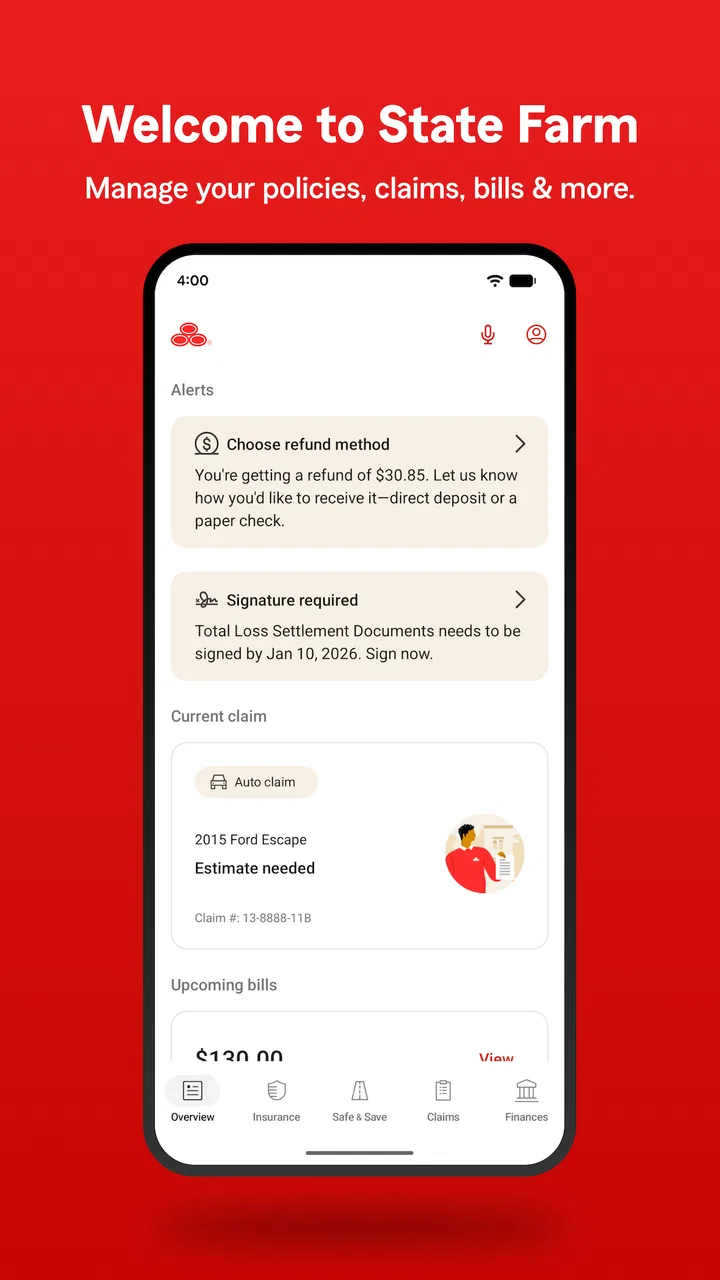
The State Farm® app provides a comprehensive suite of features including policy management, claims filing, and roadside assistance. Users can view insurance ID cards, access account details, and receive notifications about policy updates. Additionally, the app offers a personalized dashboard and integration with State Farm® agents for seamless communication.
02Is the State Farm® app secure to use?
Yes, the State Farm® app employs robust security measures to protect user data. It uses encryption for data transmission and storage, ensuring that personal and financial information remains confidential. Users are encouraged to use strong passwords and enable biometric login options for added security.
03Can I file a claim through the State Farm® app?
Absolutely. The State Farm® app streamlines the claims process by allowing users to file claims directly from their mobile devices. Users can upload photos, provide incident details, and track claim status in real-time. The app also connects users with agents for any necessary follow-up actions.
04Does the app offer any tools for managing my driving habits?
Yes, the State Farm® app includes the Drive Safe & Save™ program, which monitors driving habits to provide feedback and potential insurance discounts. Users can view trip details, receive safety tips, and analyze driving behavior. This feature encourages safer driving and can lead to reduced insurance premiums.
05Is the State Farm® app available on all devices?
The State Farm® app is available for both Android and iOS devices. Users can download the app from the Google Play Store or Apple App Store. The app is optimized for smartphones and tablets, providing a consistent user experience across different devices.
Pros
- User-friendly interface for easy navigation.
- Comprehensive coverage options available.
- 24/7 customer support through the app.
- Quick access to ID cards and policy info.
- Seamless claims filing process.
Cons
- Limited customization for notifications.
- Some features require internet access.
- Occasional app crashes reported.
- Limited payment options within the app.
- Navigation can be slow on older devices.

State Farm®
Gallery